

Adyen Integration for WooCommerce with Sitto Payments
Sitto Payments is a WooCommerce payment plugin that connects your online store to your own Adyen account.
Accept credit and debit cards, TWINT, and Apple Pay directly from your WooCommerce checkout while Adyen handles payment processing and authentication. Sitto Payments supports both Classic and Block Checkout, separate test and live configurations, automated order-status updates, and refunds from WooCommerce.
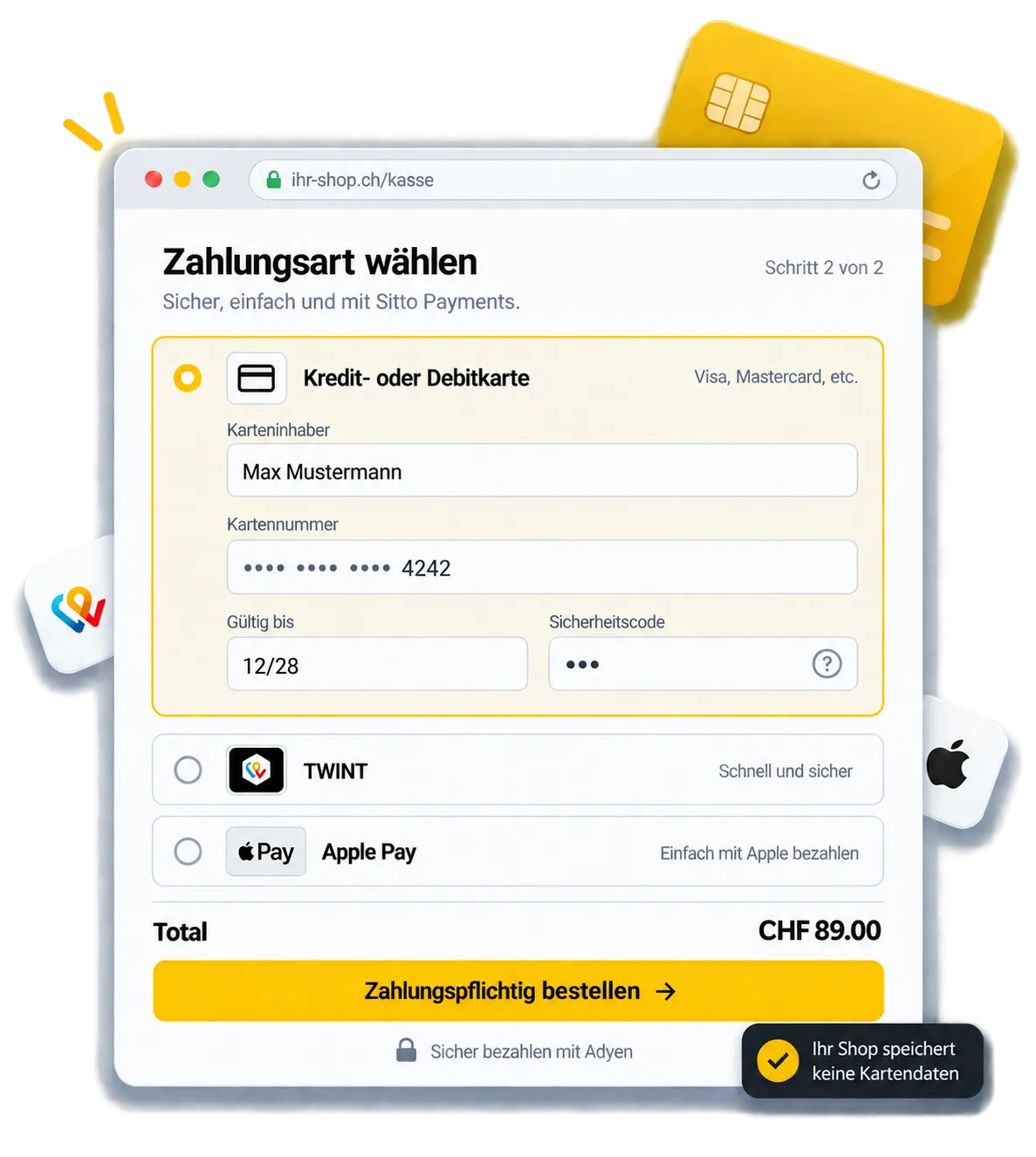

Connect WooCommerce to Your Adyen Account
Sitto Payments connects your WooCommerce store with your existing Adyen account, allowing you to offer supported payment methods without moving day-to-day order management out of WooCommerce.
Customers select a payment method during checkout, Adyen processes the transaction, and Sitto Payments keeps the corresponding WooCommerce order status synchronized through HMAC-signed webhooks.
This gives your store a single payment flow across:
-
WooCommerce checkout
-
Your own Adyen merchant account
-
Payment authentication
-
WooCommerce order management
-
Refund management
Payment Methods Available with Sitto Payments
Choose which payment methods customers can use at your WooCommerce checkout. Each supported method can be enabled separately.
Credit and Debit Cards
Accept supported credit and debit card payments through Adyen. When additional cardholder authentication is required, the payment flow supports 3D Secure 2.
TWINT
Offer TWINT as a payment option for customers who use the Swiss mobile payment method.
Apple Pay
Offer Apple Pay to customers using supported Apple devices. Apple Pay must first be enabled for your Adyen account and the required website/domain configuration must be completed before the method can appear at checkout.
How Sitto Payments Works with WooCommerce and Adyen
Sitto Payments connects the customer-facing WooCommerce checkout with payment processing in Adyen and order management in WooCommerce.
-
Connect Your Adyen Account
Install and configure Sitto Payments in WooCommerce using the credentials for your own Adyen account.
Test and live environments can be configured separately so that you can validate the payment flow before accepting production payments. -
Enable Your Payment Methods
Choose which supported payment methods you want to display at checkout, including credit and debit cards, TWINT, and Apple Pay. -
Customers Pay in WooCommerce
Customers select one of the enabled payment methods while completing your WooCommerce checkout.
For card payments, payment details are entered using Adyen-secured payment fields rather than being stored as card numbers on your WooCommerce server. -
Adyen Processes the Payment
Adyen processes the transaction and handles required payment authentication, including 3D Secure 2 when applicable. -
WooCommerce Receives the Payment Status
HMAC-signed Adyen webhooks communicate payment events back to your store so that the corresponding WooCommerce order status can be updated. -
Manage Orders and Refunds in WooCommerce
Your team can continue managing orders from WooCommerce.
When a supported payment needs to be refunded, the refund can be initiated from the WooCommerce order screen.
Secure Payment Processing with Adyen
Sitto Payments keeps sensitive card data outside your WooCommerce server by using Adyen-secured payment fields. The integration also supports 3D Secure 2 authentication and HMAC-signed webhooks for secure payment processing and order updates.
3D Secure 2 Support
For card transactions requiring additional authentication, Sitto Payments supports the Adyen 3D Secure 2 payment flow.
HMAC-Signed Webhooks
Payment events from Adyen are communicated to WooCommerce through HMAC-signed webhooks. This allows the integration to verify supported webhook events before using them to update the corresponding WooCommerce order.
WooCommerce Checkout Compatibility
Sitto Payments supports both major WooCommerce checkout implementations and provides a German-language checkout experience for supported payment flows.
Classic Checkout
Use Sitto Payments with WooCommerce stores running the traditional Classic Checkout.
Block Checkout
Use Sitto Payments with stores using WooCommerce's block-based checkout experience. This allows merchants to integrate Adyen without changing their WooCommerce checkout type solely to use Sitto Payments.
German-Language Checkout
Sitto Payments displays checkout field labels in German by default, providing a localized checkout experience for German-speaking customers. The German-language checkout is available with both WooCommerce Classic Checkout and Block Checkout.
Test Your Adyen WooCommerce Integration Before Going Live
Sitto Payments provides separate configuration for Adyen test and live environments.
Use the test environment to verify your store’s payment flow, payment methods, authentication, webhook communication, and WooCommerce order-status updates before accepting real payments.
After testing is complete, configure the live Adyen credentials to start processing production transactions.
WordPress with WooCommerce
An active WooCommerce store.
A Compatible PHP Environment
Sitto Payments supports PHP 7.4 or later.
Your Own Adyen Account
Sitto Payments connects WooCommerce to your existing Adyen merchant account.
HTTPS
Your WooCommerce store must run over HTTPS.
Additional Requirements for Apple Pay
To offer Apple Pay, enable Apple Pay for your Adyen account and complete the required website or domain setup. Apple Pay will only appear when the customer's device and environment support it.
Requirements for Sitto Payments
Before installing Sitto Payments, make sure your WooCommerce environment meets the plugin requirements.
Why Use Sitto Payments for WooCommerce?
Sitto Payments gives WooCommerce merchants a direct operational connection between their store and their own Adyen account.
With the plugin, you can:
-
Accept supported payment methods through Adyen
-
Provide a German-language checkout experience
-
Use separate Adyen test and live configurations
-
Receive payment updates through HMAC-signed webhooks
-
Initiate supported refunds from the WooCommerce order screen
-
Offer cards, TWINT, and Apple Pay from WooCommerce checkout
-
Support both Classic and Block Checkout
-
Support 3D Secure 2 authentication for applicable card payments
-
Manage WooCommerce order statuses after payment
Your customers complete the payment from your store while your team continues working primarily from WooCommerce.
Ready to Add Sitto Payments to Your WooCommerce Shop?
Complete the form to get access to the Sitto Payments plugin. Use your own Adyen account to configure the payment methods you want to offer for your e-commerce store.
Questions About Sitto Payments for WooCommerce
Find out what you need to connect your shop, offer payment methods, and manage payments after checkout.
Still have questions?
Our team is here Monday – Friday, 9am – 5pm at +41 43 505 22 25
1. What is Sitto Payments?
2. Do I need my own Adyen account?
3. Which payment methods does Sitto Payments support?
4. Does Sitto Payments work with Classic and Block Checkout?
5. Does Sitto Payments offer a German-language checkout?
The German-language checkout is available with both Classic Checkout and Block Checkout.